Opti.Tax

THE taxonomy software

Opti.Tax Packshot

Blackbox Opti.Tax? Here’s a brief summary of the key points: 

What is Opti.Tax?

Opti.Tax, the comprehensive taxonomy solution, is a software platform that enables professionals from tax departments, tax practices and firms, audit firms and many other organisations to document everything digitally and without any disruption to the workflow. With modules that can be purchased individually, the solution covers the most important areas of financial reporting and compliance documentation.

What can Opti.Tax do?

As a taxonomy multi-tool, Opti.Tax can be used for a wide range of topics: procedural documentation, TCMS, ICS, electronic balance sheet, CbCR, Council tax, digital emergency file and much more.

How do I get Opti.Tax?

To get started with Opti.Tax, Please book a free live demo here. Please tell us about the tasks you’d like to tackle. We’d be happy to advise you personally and on a case-by-case basis. Some of our services are listed directly on our Shop Available to book.


Taxo Icon
For privacy reasons YouTube needs your permission to be loaded. For more details, please see our Datenschutz.
Tina Icon

For privacy reasons YouTube needs your permission to be loaded. For more details, please see our Datenschutz.

The Complete Taxonomy Solution Opti.Tax

Electronic balance sheet, annual accounts, documentation –
Everything is digital and seamless.

Whether it’s the tax authorities, banks, the Federal Gazette or Creditreform – they all rely on the taxonomy-based XBRL format.

Opti.Tax – the all-round solution for electronic invoicing

hsp’s comprehensive taxonomy solution offers you a wide range of modules, numerous functions and prompt support, whilst being easy to use – also in the cloud.

Would you like a personal consultation? Book your appointment:

  • Intuitive operation: Clear structure, interview format, live chart

  • Individual licences: Various modules for different applications

  • Greater profitability: Designed specifically for small and medium-sized enterprises

  • Future-proof: hsp has been operating successfully in the market since 1991

  • Excellent support: Fast, reliable and personalised support

The module Documentation

Documenting procedures and processes –
intuitive, clear, GoBD-compliant

Save time, minimise risks and comply with legal requirements – you can simply rely on Opti.Tax. With the Documentation module, you can create a Process documentation or procedural documentation in accordance with GoBD.

GoBD-compliant – with no media breaks

This software enables you to manage and store books, records and documents reliably. As all data is created in XBRL format, it is immediately available for access in accordance with GoBD – without any change in media format.

However, the Documentation module covers a wide range of other topics as well, including liquidity advice, Tax Compliance Management System (TCMS), Internal Control System (IKS) and the Money Laundering Act (GwG).

For privacy reasons YouTube needs your permission to be loaded. For more details, please see our Datenschutz.

»Process documentation in accordance with GoBD is mandatory.".
«Failure to do so may result in severe penalties imposed by the authorities."

Avoiding penalties, preparing procedural documentation in accordance with GoBD, identifying opportunities:
With Opti.Tax, you can fulfil your legal obligations and even benefit from doing so.

The module Documentation: the components

The module Annual accounts

Taxonomy-based financial statements –
No media breaks, lots of benefits

Tax authorities, the banking sector and the Federal Gazette – they all rely on the international financial data standard XBRL. With Opti.Tax and the Annual Accounts module, you can prepare your annual accounts entirely in XBRL format.

Versatile annual accounts thanks to the XBRL format

Use Opti.Tax to prepare your annual accounts in the correct format straight away. This allows you to generate your e-balance sheet and your DiFin for your bank, and to submit your data to the Federal Gazette – entirely digitally and without any changes in format. This drastically reduces processing times and minimises risks.

Sign up now for a bespoke, personalised consultation.

For privacy reasons YouTube needs your permission to be loaded. For more details, please see our Datenschutz.

The module Annual accounts: the components

The module electronic balance sheet

A clean e-balance sheet for the tax authorities, year after year

Every year, the tax authorities require your company’s balance sheet to be submitted in electronic form. It is therefore advisable to use a tried-and-tested, reliable software solution on a consistent basis.

A long-term software solution for your electronic balance sheet

With Opti.Tax, you’re bringing the right partner on board for the long term. Our company has been in the market for a good 30 years, and Opti.Tax has been under continuous development for more than a decade. This means you’re future-proof when it comes to e-balance sheets
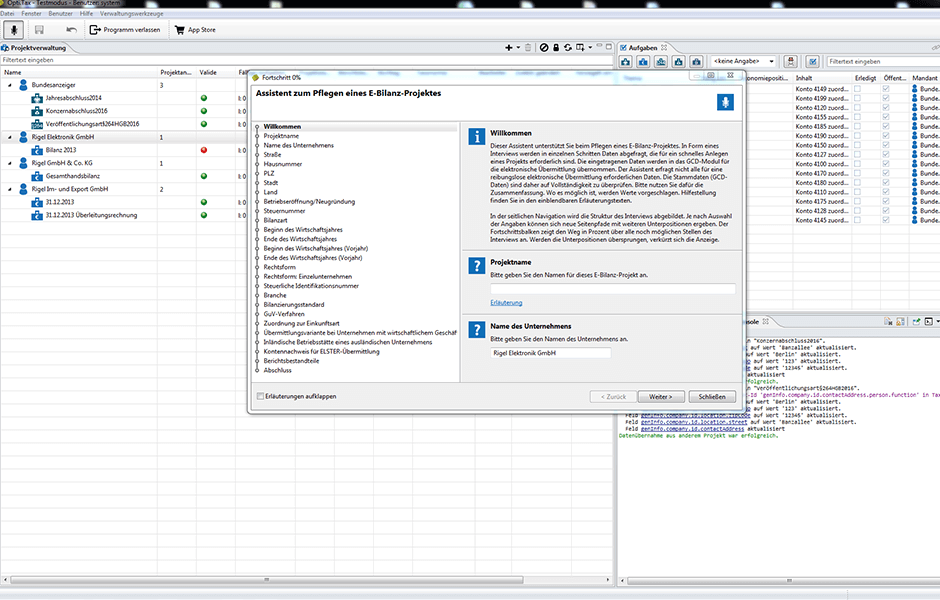
Wizard for maintaining an e-balance sheet project

The module Federal Gazette

Duty done – in just a few clicks

Comply with the requirement to submit your annual accounts by Federal Gazette to publish. As all your data is organised into a taxonomy, you can submit your annual accounts to the Federal Gazette with just a few clicks.

You can also import the previous year’s data very easily, quickly and without any hassle.

For privacy reasons YouTube needs your permission to be loaded. For more details, please see our Datenschutz.

The module Council tax

Retain control over your data

Opti.Tax Property Tax offers exclusive efficiency features, an integrated solution for digital signatures, cloud-based workflows with clients, and more. You can work seamlessly thanks to interfaces with DATEV, ADDISON, BMD & Co. Furthermore, you can rest assured that your data is not stored permanently and is securely encrypted. Neither we nor any third parties have access to it – and you also benefit from protection through reliable updates for many years to come.

For privacy reasons YouTube needs your permission to be loaded. For more details, please see our Datenschutz.

The module Country-by-Country Reporting

Multinational companies with a turnover of at least 750 million euros are required to prepare a country-by-country report (CbCR). The CbCR contains tax information for all countries in which the company operates.

With the Opti.Tax Country-by-Country Reporting module, you can prepare secure, comprehensive and OECD-compliant CbCR reports and submit them to the relevant authorities.

The module Rating and credit analysis

Get a comprehensive Creditreform credit rating in minutes

With the Rating and Credit Analysis module, you can obtain a credit check or a comprehensive credit rating report from Creditreform – all in just a few minutes. This provides you with a reliable balance sheet analysis without any disruption to the workflow. These documents provide compelling arguments for credit negotiations with your bank.

Integrated interface to DATEVconnect

Opti.Tax offers unbeatable advantages, particularly for tax advisers. Thanks to the integrated DATEV interface, master data can be retrieved in seconds. Within three minutes, any necessary details can be added, checked and submitted to Crefo along with the annual accounts.

For privacy reasons YouTube needs your permission to be loaded. For more details, please see our Datenschutz.

The module Funding for counselling services

A direct line to the BAFA

The ‘Consultancy Support’ module provides you with an interface to the Federal Office for Economic Affairs and Export Control (BAFA). This enables you to use Opti.Tax to prepare all the necessary documentation for BAFA accreditation.

BAFA funding in just a few clicks

When setting up a consultancy project, you should specify that this project is to be funded. You will then be guided smoothly through the application process.

For privacy reasons YouTube needs your permission to be loaded. For more details, please see our Datenschutz.

Opti.Tax Cloud

Closer to the client

Communication between the practice and the client often involves a number of changes in the medium used. That is why the Opti.Tax Cloud exists – a virtual workspace for practices and clients. Whether it’s approving a document, adding missing information or requesting specific documents – collaboration with clients runs smoothly and digitally via the Opti.Tax Cloud.

The highest level of security for your data

Law firms and clients handle sensitive data. That is why the Opti.Tax Cloud runs exclusively on German servers operated by the Regensburg-based specialist InterNetX. Strict German data protection laws apply. The data centre is certified to the TÜV ISO 27001, ITIL and LPIC standards and is protected against outages as effectively as possible.

For privacy reasons YouTube needs your permission to be loaded. For more details, please see our Datenschutz.

Integrated Interfaces

Compatible in all directions

Avoiding data silos – that is Opti.Tax’s primary objective. That is why the software features a number of interfaces in all directions. For example, we have integrated interfaces with ERP systems such as Microsoft Dynamics 365 Business Central (formerly Navision) and Sage Software.

Interfaces with digital workplace providers

Our developers have also integrated interfaces with digital workplaces such as taskplace.de and kanzlei.land. When it comes to law firm software, Opti.Tax supports products from DATEV and Audicon.

In addition, the integrated BAFA interface enables you to communicate digitally and seamlessly with the Federal Office for Economic Affairs and Export Control. Further interfaces are already in development.
  • Opti.Tax Banner 1
  • OT_1
  • Opti.Tax Banner 2
  • OT_2
  • Opti.Tax Banner 3
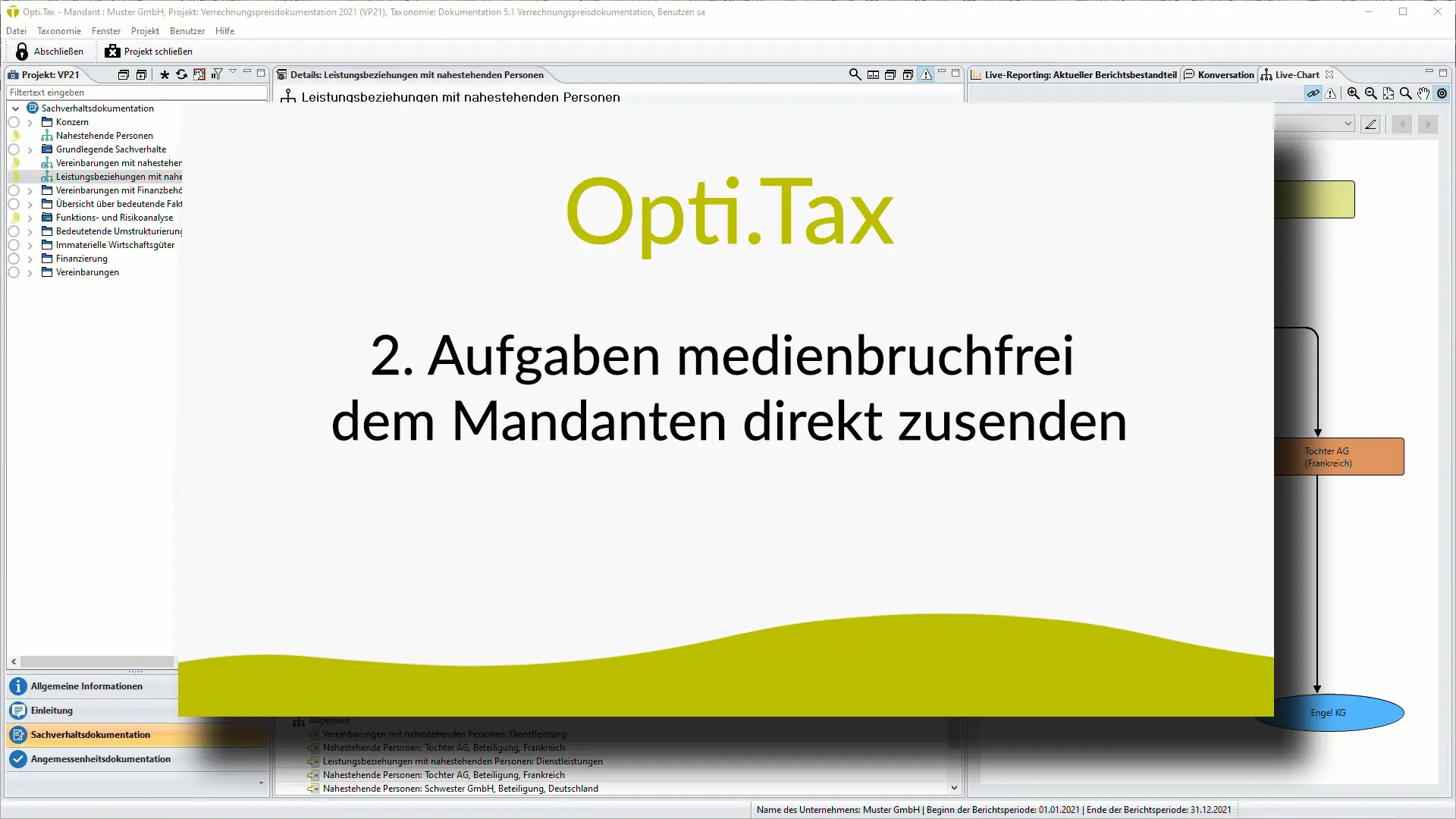
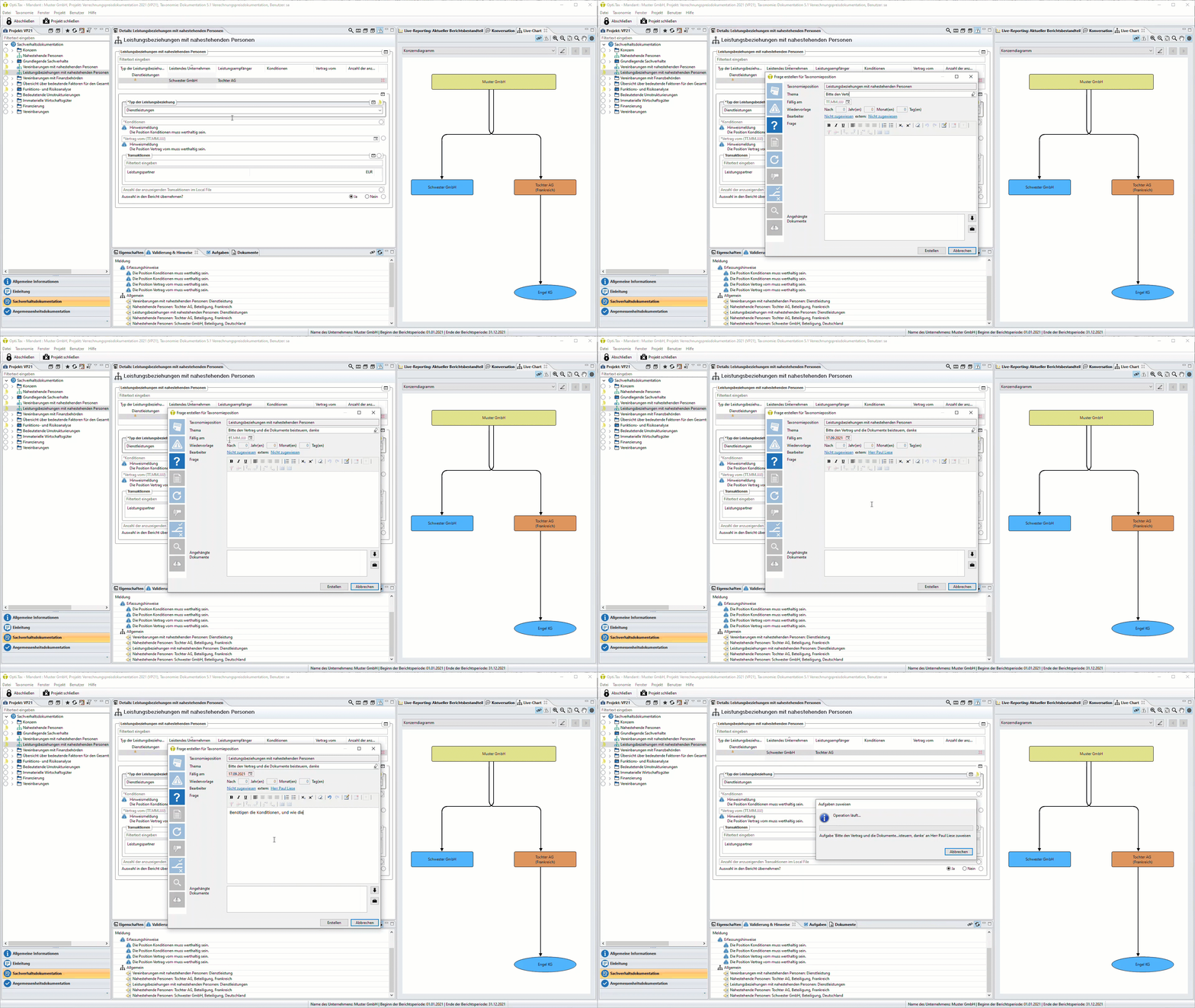
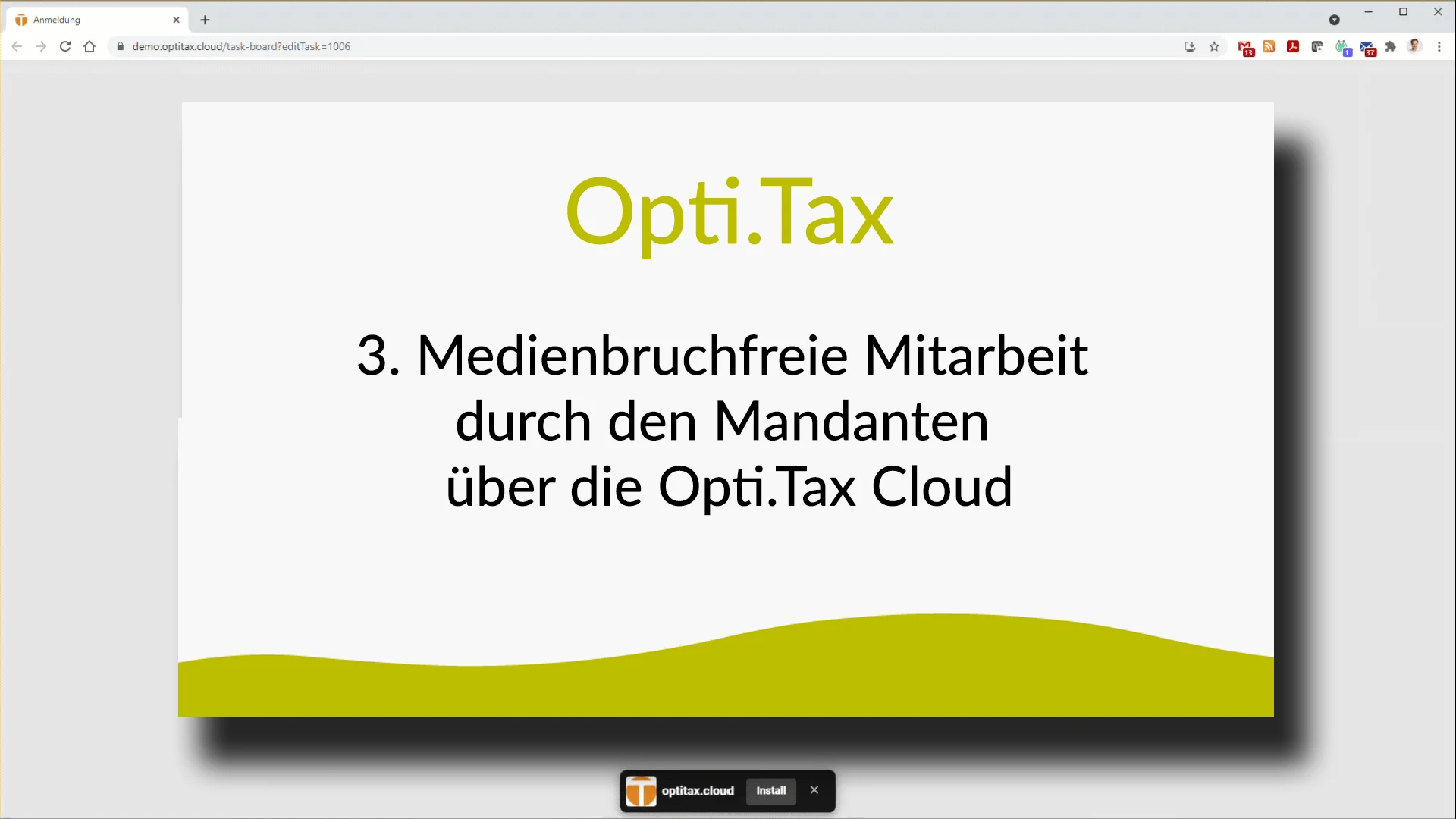
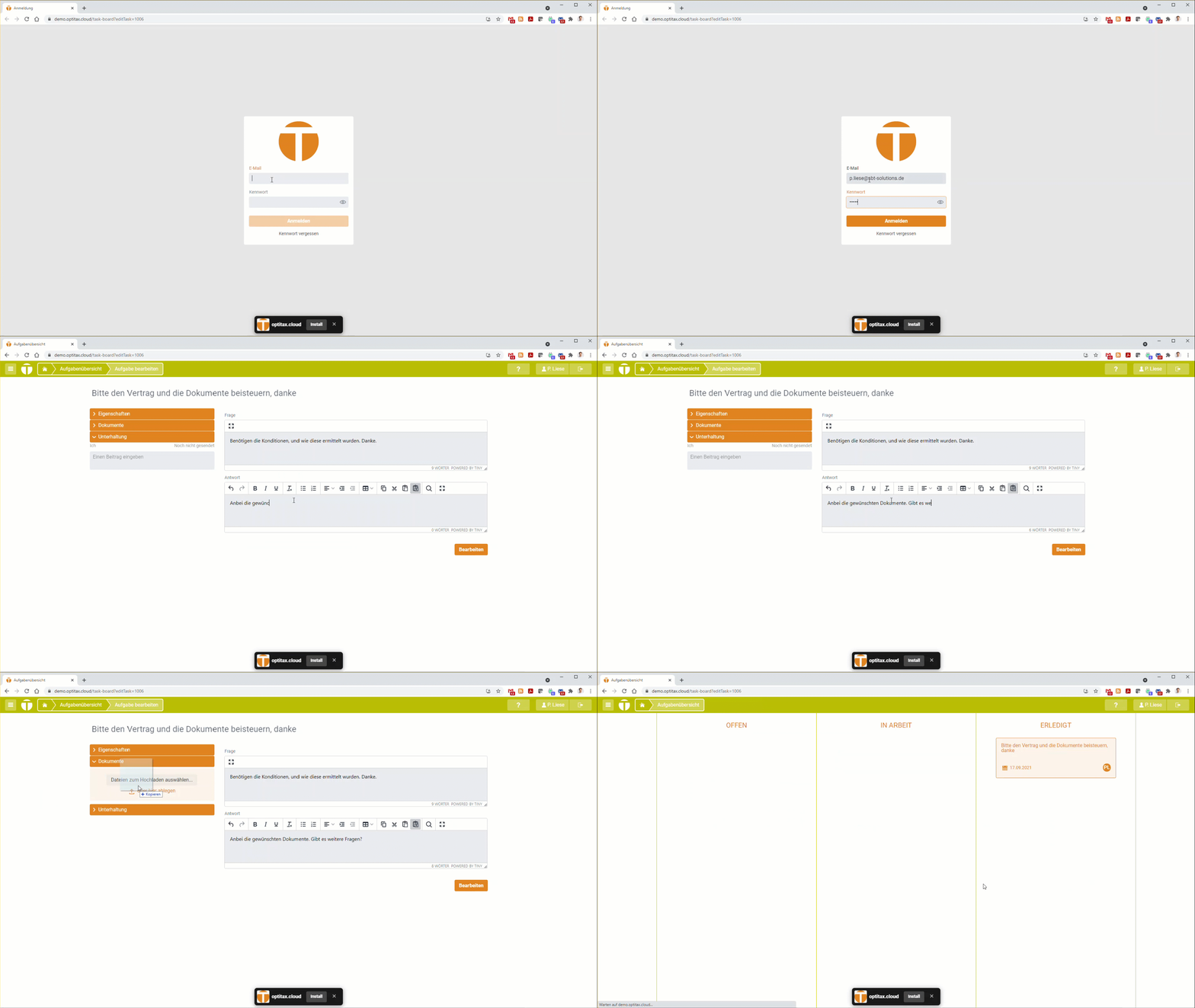
  • Log in to the Opti.Tax Cloud, then answer an assigned question using an input form.
  • Opti.Tax Banner 4
  • OT_4
  • Opti.Tax Banner 5
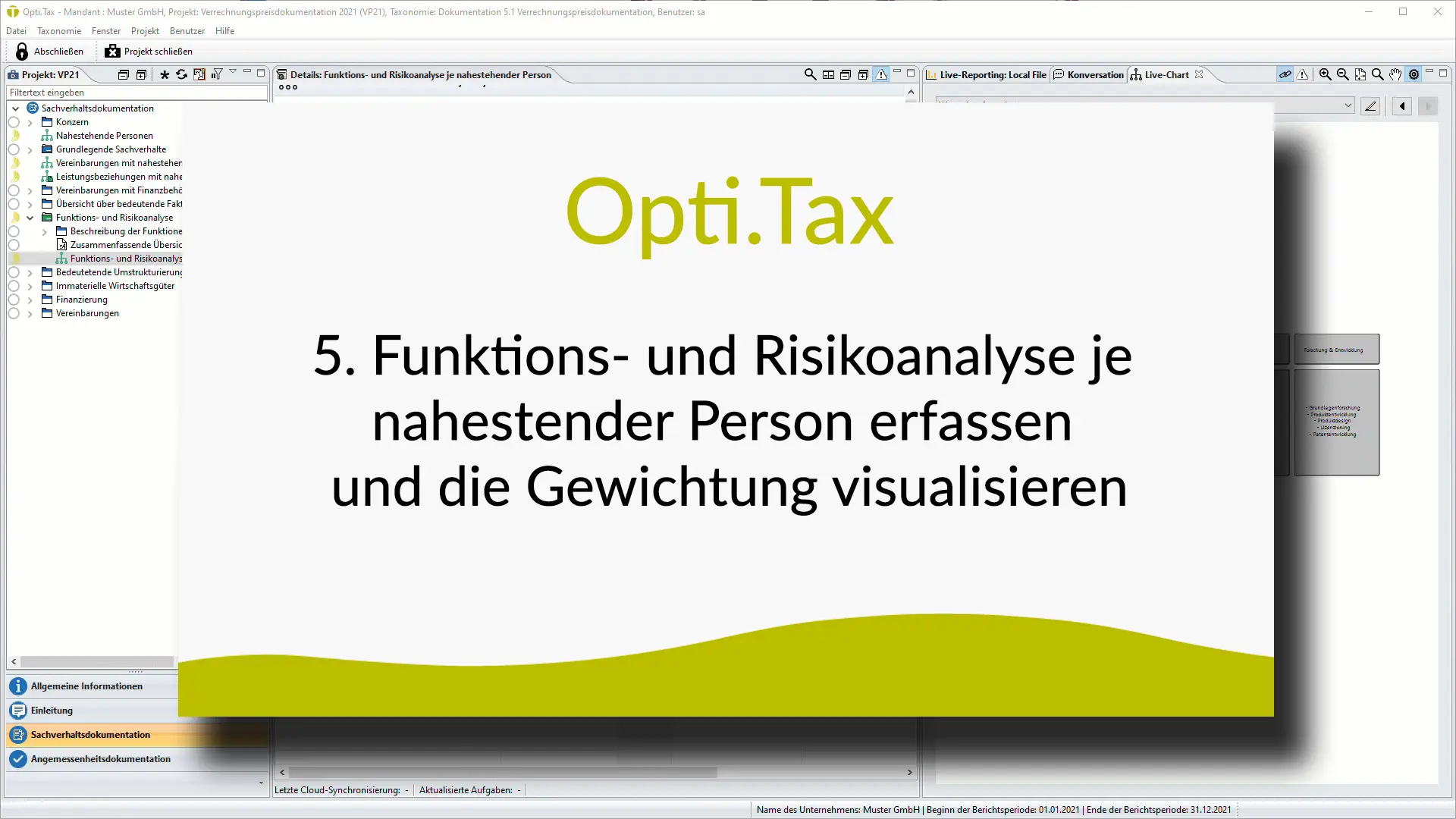
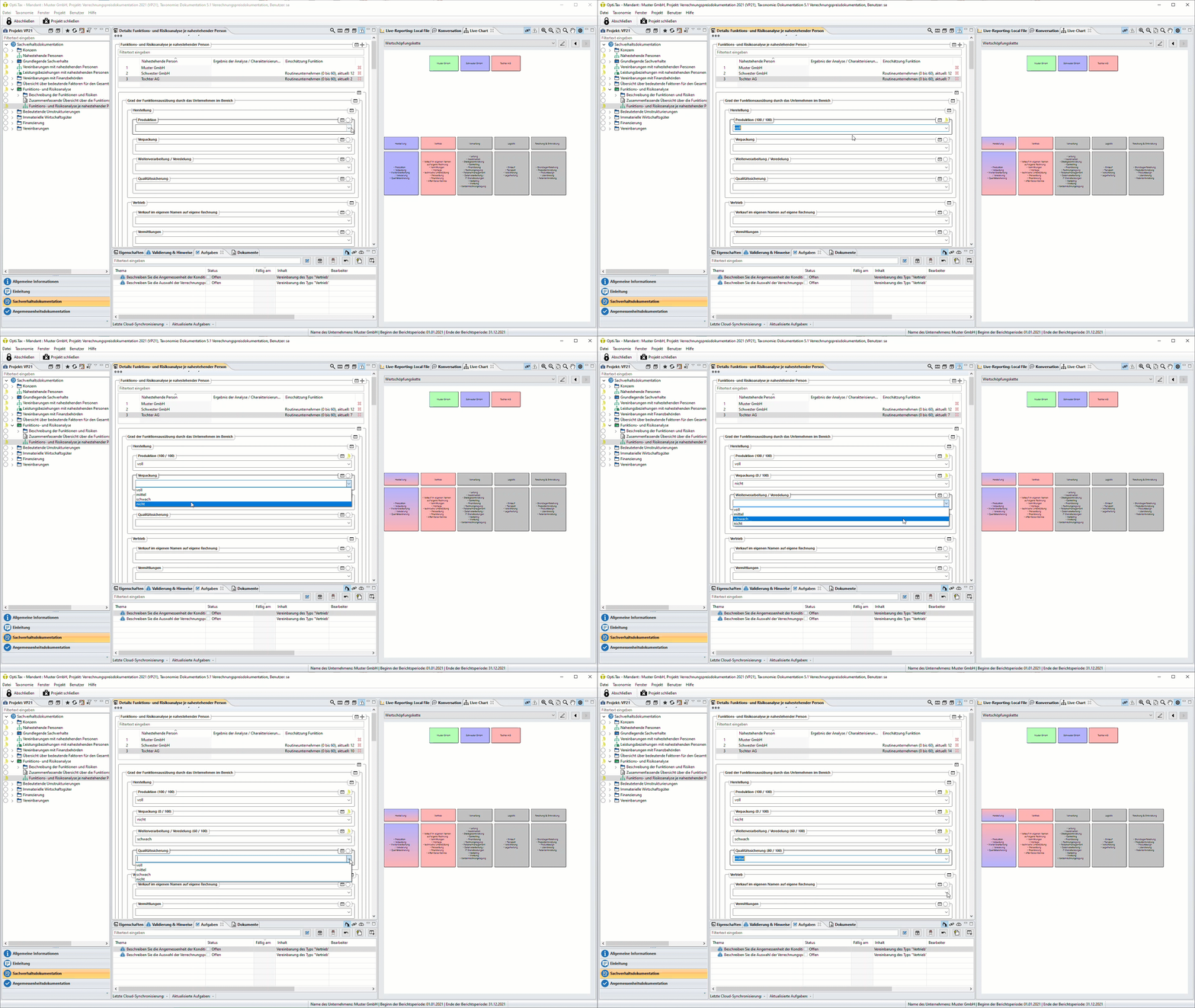
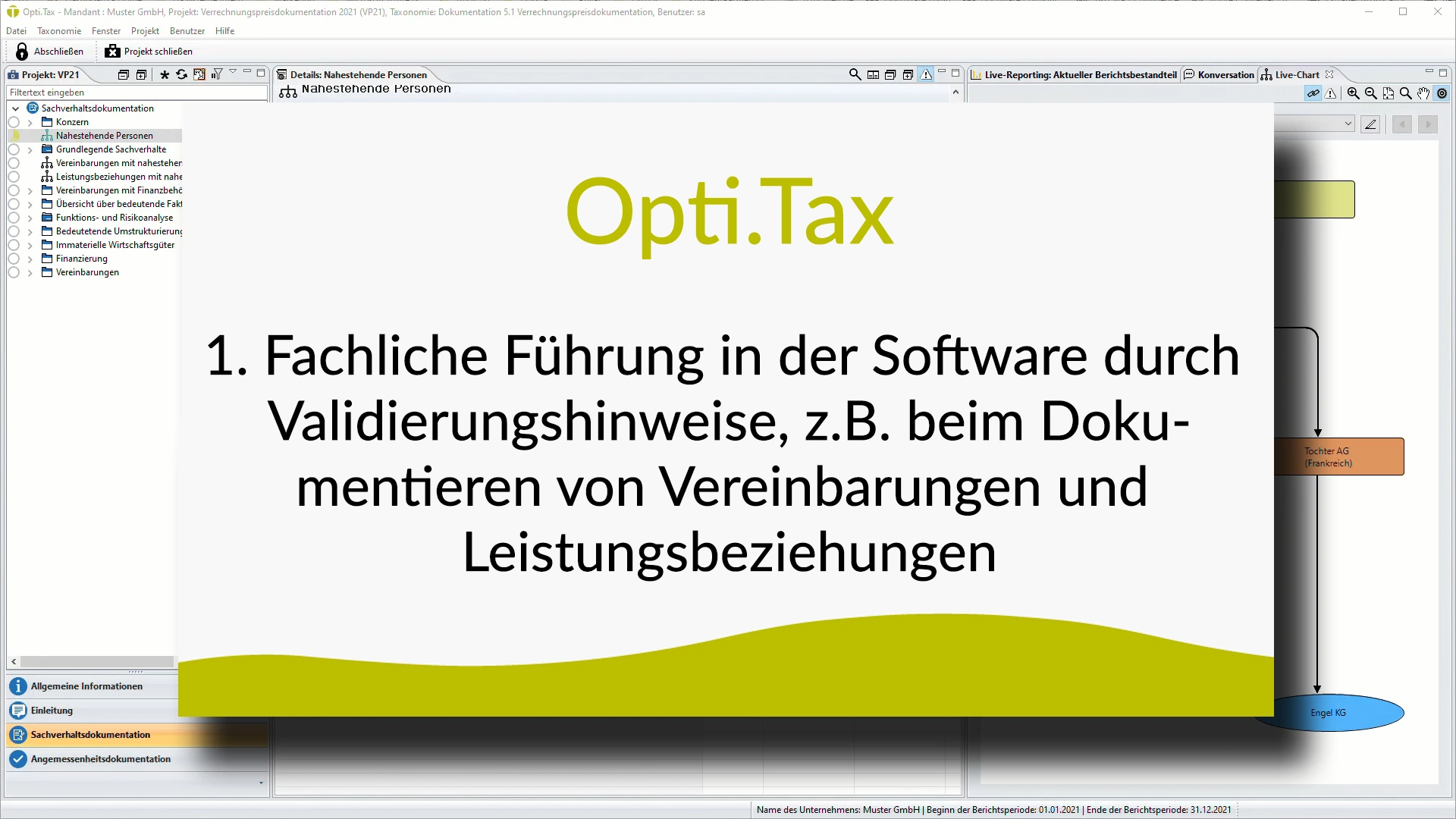
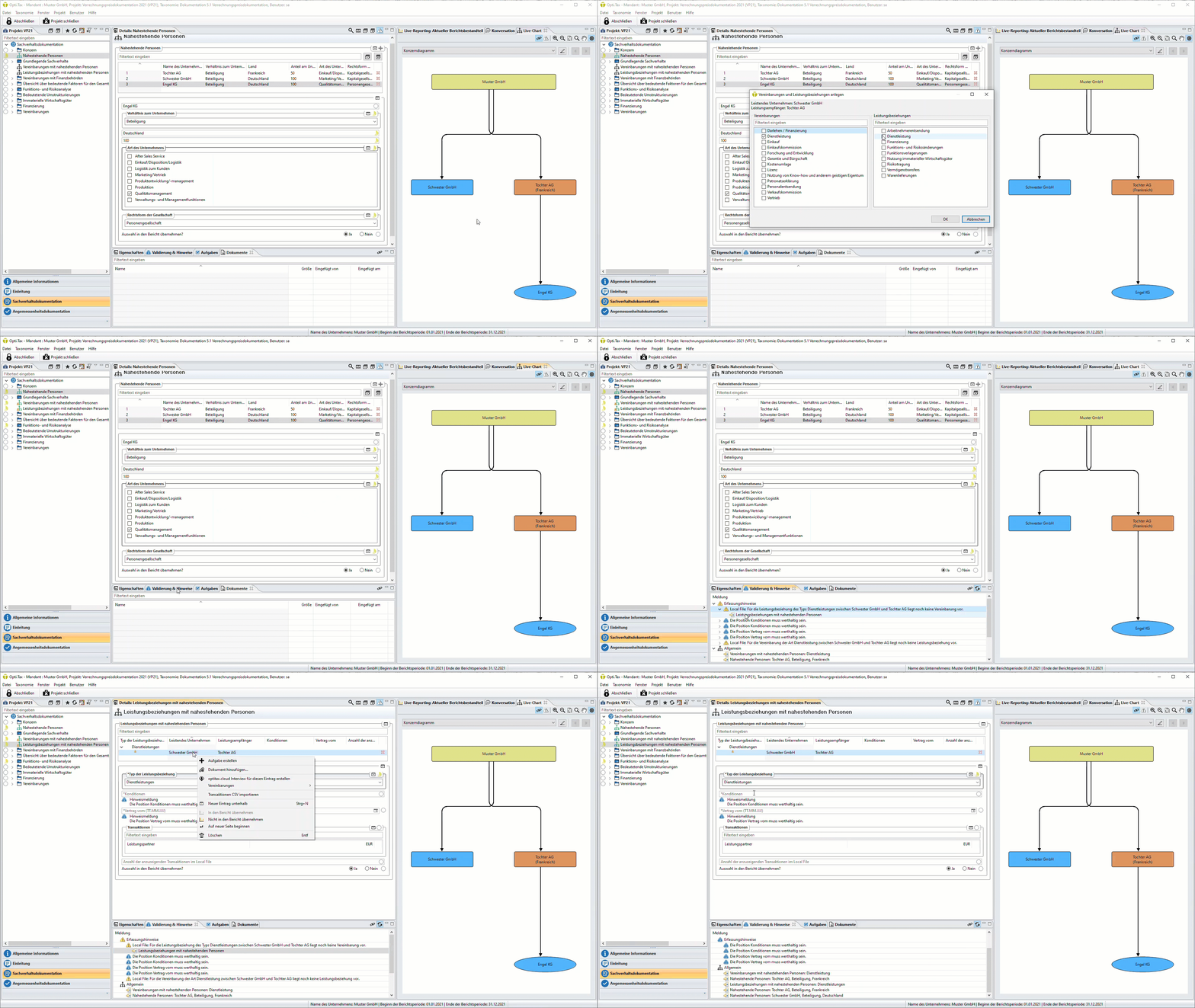
  • Accessing the dialogue box for function and risk analysis for each related party and visualising the value chain.
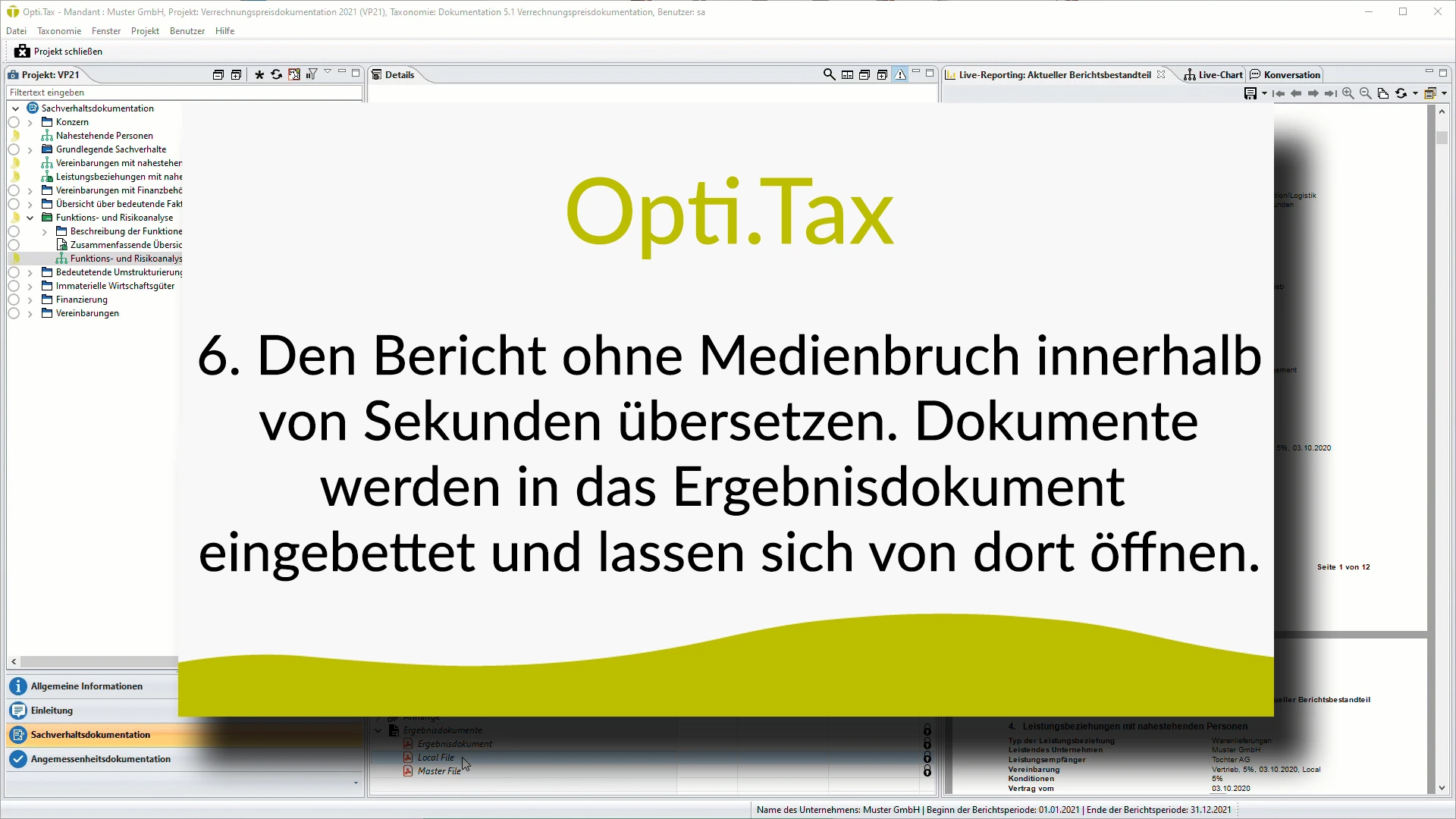
  • Text box containing the text: Opti.Tax 6. Translate the report in a matter of seconds without any disruption to the layout. Documents are embedded in the output document and can be opened from there.
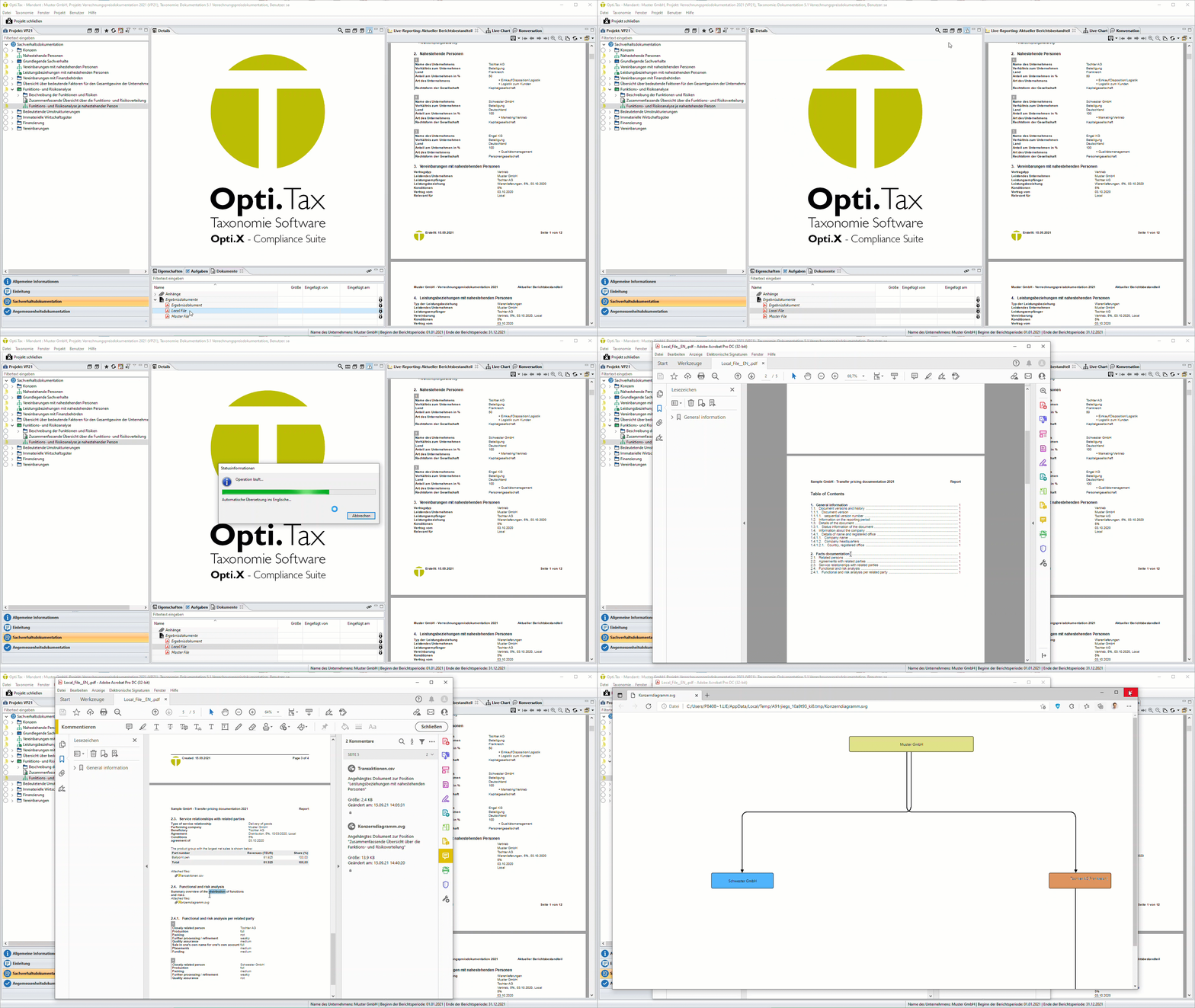
  • Open the report, then automatically translate the entire report and embed it in the output document.

Basics and Further reading

Things to know about Opti.Tax

Electronic submission of balance sheet data in accordance with Section 5b of the Income Tax Act (E-Balance Sheet)

Under Section 5b of the Income Tax Act (EStG), taxpayers required to prepare financial statements must, from the calendar year 2013 or the financial year 2013/2014, submit the contents of their balance sheet and profit and loss account electronically via remote data transmission in accordance with the officially prescribed data format.

The data is submitted using the eXtensible Business Reporting Language (XBRL), which the tax authorities have specified as the mandatory data format. These requirements are reflected in the taxonomies used to submit the e-balance sheet. A taxonomy is a data schema that definitively defines all items included in the submission (BMF guidance note „Electronic submission of balance sheets and profit and loss accounts; Guidance Letter on the Publication of the Taxonomy“ dated 16 November 2011 – IV A 7 – O 2200/09/10009:001, BStBl. I 2011 p. 1063).

The taxonomies – core, supplementary and sector-specific taxonomies – consist of a GCD module and a GAAP module. The master data or GCD module contains a wealth of information on the e-balance sheet, the report and the company. The GAAP module covers, on the one hand, the balance sheet, the profit and loss account, the notes to the accounts including the fixed assets schedule, the management report and the profit appropriation statement; on the other hand, it also covers parts of the tax profit calculation, such as changes in capital accounts for partnerships, profit calculation for special cases (segment reporting) and other elements of the tax profit calculation (off-balance-sheet additions/deductions).

Under Section 51(4)(1)(b) of the Income Tax Act (EStG), the tax authorities were authorised to specify the minimum scope of the balance sheets and profit and loss accounts to be submitted in accordance with Section 5(b) of the Income Tax Act (EStG).

A standard reference work on the e-balance sheet

If you choose our Opti.Tax e-balance sheet programme, you’ll not only gain an easy-to-use, flexible tool that enables you to reduce costs in the long term and work efficiently. We also provide you with comprehensive support. To offer you the best possible assistance in preparing your e-balance sheet, the help function in our e-balance sheet tool features practical guidance and precise instructions for every taxonomy item.

Help from an expert

We are supported in this by Stollfuß Verlag, whose standard reference work, *E-Bilanz: Explanations and Guidelines on Taxonomy*, is fully integrated into Opti.Tax in digital form. You therefore do not need to go through the hassle of switching from the software to the reference work to clear up any uncertainties or answer questions: with a single click of the mouse, you can access detailed explanations directly from within the software.

The help function is also context-sensitive; in other words, the programme automatically recognises which section of the report you are currently working on and displays the relevant chapters and sub-sections, so that whilst you are working on the e-balance sheet, you can also view the explanations at any time in a separate window.

Of course, you can also search through the extensive explanatory notes using a keyword search or by hand.

With our solution, we not only offer you premium software that meets all the requirements for submitting electronic balance sheets, but we have also placed particular emphasis on performance, compatibility and ease of use. With Opti.Tax, you can look forward to submitting your electronic balance sheet with confidence.

The features in detail:

Commercial balance sheet and tax balance sheet

  • Generation of the e-balance sheet, regardless of whether tax balance sheet entries have already been generated in the accounting system or whether only commercial balance sheet entries are available
  • Tax entries can be added via the application
  • Tax adjustments at taxonomy level are possible via a reconciliation statement
  • Master data (GCD) for each legal entity can be entered or imported
  • Transaction data (GAAP) is imported via CSV
  • Any number of general ledger accounts can be assigned to a taxonomy item

Minimal effort thanks to automated assignments and templates

  • Automated taxonomy mapping for standard charts of accounts
  • Projects mapped to a custom chart of accounts can serve as a template for all other clients/projects or subsequent years
  • Automated import is possible using a custom chart of accounts based on mapping

Security features

  • Individual user rights and group rights
  • All user activities are logged via the audit trail
  • Compliance with legislation is ensured through the continuous updating of taxonomies, as well as via the compatible Elster Rich Client through online updates
  • The reference file can be used for reconciliation and displayed

Always keep an eye on the current status of your e-balance sheet: balance sheet totals are calculated in real time in Live Reporting whilst mapping is in progress and are always available to view

  • View of the report component that has been called up
  • List of missing entries in mandatory fields
  • Reconciliation statement (direct comparison of trading and tax balance sheets)
  • Account allocations

Validating and submitting your e-balance sheet:

  • E-Balances can be checked for errors via Elster validation
  • Transmission logs and project files can be archived and retrieved at any time – so you can be sure that all requirements have been met

Last but not least:

  • Support for an unlimited number of clients and projects

As an additional service for our e-balance sheet tool, we also offer a comprehensive Excel interface. The benefit for you is that you can work with the data in the familiar Excel environment and modify it as you wish – before re-importing it back into the software.

Simplification

Naturally, all the familiar Excel features – such as formulas and VLOOKUP – are fully available to you for editing. This means that, when dealing with complex calculations or wide-ranging, interrelated issues, you can easily use the familiar functions and automated features to simplify your e-balance sheet and make the preparation process more efficient.

Documentation

Of course, you also have the option of saving individual sections of the report separately as a standalone Excel spreadsheet and processing them in virtually any way you wish. You are free to decide when to do this: you can re-import the data at any time if you wish.

Introducing: The Live Reporting Tool

Live reporting allows you to see in real time what you are submitting to the tax office based on the current status of data collection.

The reports are updated in real time as data is entered. This means that the data entered can be reconciled and checked immediately upon entry. Key reports include:

  • Mandatory fields that have not been completed
  • General Ledger
  • Tax adjustments / Reconciliation statement in multiple versions
  • Preview of results (preview of transmission) or transmission log (if the project was successfully sent)

Live Reporting automatically generates a clear control document in a well-organised and flexible interface, enabling you to maintain an overview even with the most complex processes. To make it easy to use, you can arrange Live Reporting – just like all other elements of the interface – in any way you choose. A reference document can be displayed in a separate window, enabling visual verification whilst data is being entered.

Following a transmission, ELSTER generates and returns a transmission log. Due to the large volume of data, the transmission log contains only the most important elements. You can see immediately from the live reporting which individual values have actually been transmitted.

Of course, you also have the option of displaying the current reports in full-screen mode for review or printing them out. It does not matter which section of the report you are currently viewing.

The module OfficeFiler is an add-on for Opti.Tax that enables users to edit and manage data within the familiar MS Office environment. In a dedicated project management view, all data relating to a project – as well as external files – can be stored in an organised manner. This makes it possible to create an „electronic file“ for inspection in the event of a company audit or financial audit.

Data can be exchanged between the e-Balance Sheet taxonomy or the Federal Gazette taxonomy and Excel or Word. Depending on whether the data is in the taxonomy or in the OfficeFiler If data is entered or edited, the processing status is transferred. In other words: data from Opti.Tax E-Bilanz or Opti.Tax BAnz can be exported to Excel or Word, amended or supplemented there, and then transferred back.

The selection of OfficeFiler templates is based on the legal form and the details specified in the project. Filter options based on report components make it easier to locate documents. Not only can the project data itself be stored, but external files in MS Office formats – such as Word, Excel, PDF and RTF – can also be kept in a separate project file.

In a separate file modelled on the tax file, which can only be accessed with defined user rights, it is possible to store documents and internal notes, as well as simulation exercises and projections, separately from the documents that are generally accessible.

Various guidance documents and templates cover the transactions to be recorded. Guidance documents and edited templates from OfficeFiler can be archived with version history, thereby always showing the history of edits without overwriting the templates themselves. Of course, all data can also be saved locally and edited outside of Opti.Tax E-Bilanz or Opti.Tax BAnz, before being transferred back for updating.

»Digitise your business administration"
«with the Opti.Tax all-in-one package from hsp."

Find the right combination of modules for your subjects.
We’d be happy to advise you – simply book your appointment online:

Opti.Suite at a glance