



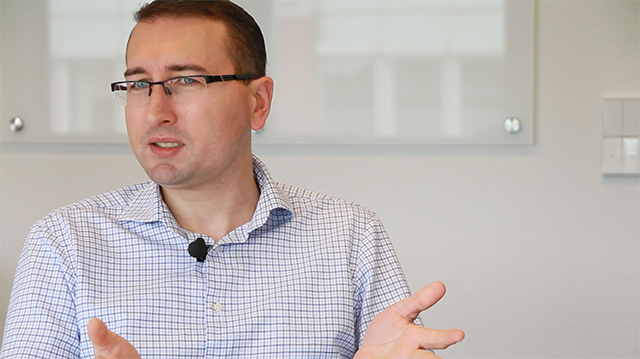
The next release of Opti.Tax is due to be launched in September, along with the new module „Documentation“. In the interview, Roland Oldenburg – Head of Development – talks about the story behind the song, or rather the idea behind the ‘Documentation’ module.
With Mr Roland Oldenburg (RO), carried out by Praviena Sikumar (P.S.), on 1 September 2016
The interview in full
(PS) Mr Oldenburg, thank you very much for answering a few questions about the new module for our customers and partners. Just as every song has a story behind it, we’re all interested in the story behind the new Documentation module. But first, let’s talk about you. You head up the development department at hsp. What did you do before that, and how did you come to join hsp?
(RO) Software development has always been my life. As a teenager, I started teaching myself various programming languages and experimenting with whatever was possible in this field. And then things continued in a fairly straightforward manner: an apprenticeship at Lufthansa Systems, followed by a role there where I was responsible for the operation of various business-critical applications. I then moved into a new and exciting field: „FireTraining“. I always jokingly refer to this as being a „professional pyromaniac“. It involved a great deal of real-time control, often in connection with major projects abroad. Then one day, I was headhunted – in the truest sense of the word – by Paul Liese to join hsp. And right from the start, exciting challenges awaited me there.
(PS) What makes working at hsp interesting?
(RO) The high degree of freedom, the diversity, the agility. Having worked for the group for several years myself, I know the difference. At hsp, decision-making processes are shorter; everything is faster and more agile. We aren’t bound by any corporate guidelines, for example when it comes to choosing a technology.
If something is suitable, if it works well, then we use it. That means we sometimes have to venture into new areas, but that’s exactly what makes this job so interesting. And that has also led to a certain amount of diversity: we have a wide variety of products, some of which have been developed using completely different technologies. Anyone joining us will quickly realise that there are four or five different programming languages in which they can get involved and develop their skills.
By ‘agility’, I actually mean agile development. Anyone who looks into the subject in depth will realise that it’s very difficult for any team to truly live by the principles one hundred per cent of the time. But I think we’re managing it rather well now. And by that I don’t just mean processes. I also mean the emergence of new ideas and solutions.
(PS) Was that also the case with the new ‘Documentation’ module, and what’s the idea behind it?
(RO) Absolutely! The module is essentially a brilliant idea: we’re applying the principle of taxonomy to purposes far beyond taxation. All the mechanisms (data maintenance, reporting, administration, etc.) are already in place and familiar to users. And so it makes perfect sense to now apply the same principles to new, different areas. This is beneficial for everyone: we as developers don’t have to start from scratch, and users feel straight at home because they’re already familiar with the application.
(PS) OK, but ‘Tax’ is part of Opti.Tax, isn’t it? Isn’t that the case any more?
(RO) Absolutely. But as I’ve just explained, there’s now much more to Opti.Tax than meets the eye. So perhaps it would be better to say that the „Tax“ stands for ‘taxonomy’. That captures the nature of the application very well.
(PS) What benefits does the new module offer to all Opti.Tax users?
(RO) There are countless points to consider. How would one normally go about it if, for example, one wanted to create procedural documentation? How do you get started? You’re essentially sitting in front of a blank sheet of paper and first need to familiarise yourself with the subject matter. What sort of information is to be documented? In what sort of structure? And how can I ensure that I can make the necessary adjustments regularly and in good time, and meet deadlines?
The ‘Documentation’ module takes care of all this for you right from the start. You begin with an interview in which you use a question-and-answer format to flesh out the necessary components of the report.
I can then open the project and add further details as required. The live reporting system allows me to view the final document – including the cover page and table of contents – whilst I am still working on it.
The system automatically assigns a so-called „follow-up“ to certain fields. I can also define my own tasks to remind me of work that needs doing. Right from the project navigation screen, I can see whether anything is due (soon) anywhere in one of my projects.
What’s more, I can synchronise these tasks with my to-do list in Outlook. That way, I can keep track of my appointments without having to open Opti.Tax separately.
There are so many other things one could mention: data exchange and processing on a tablet, version control and the creation of follow-up projects, and so on.
(P.S.) Thank you very much, Mr Oldenburg, for providing us with some background information.







 German
  English