


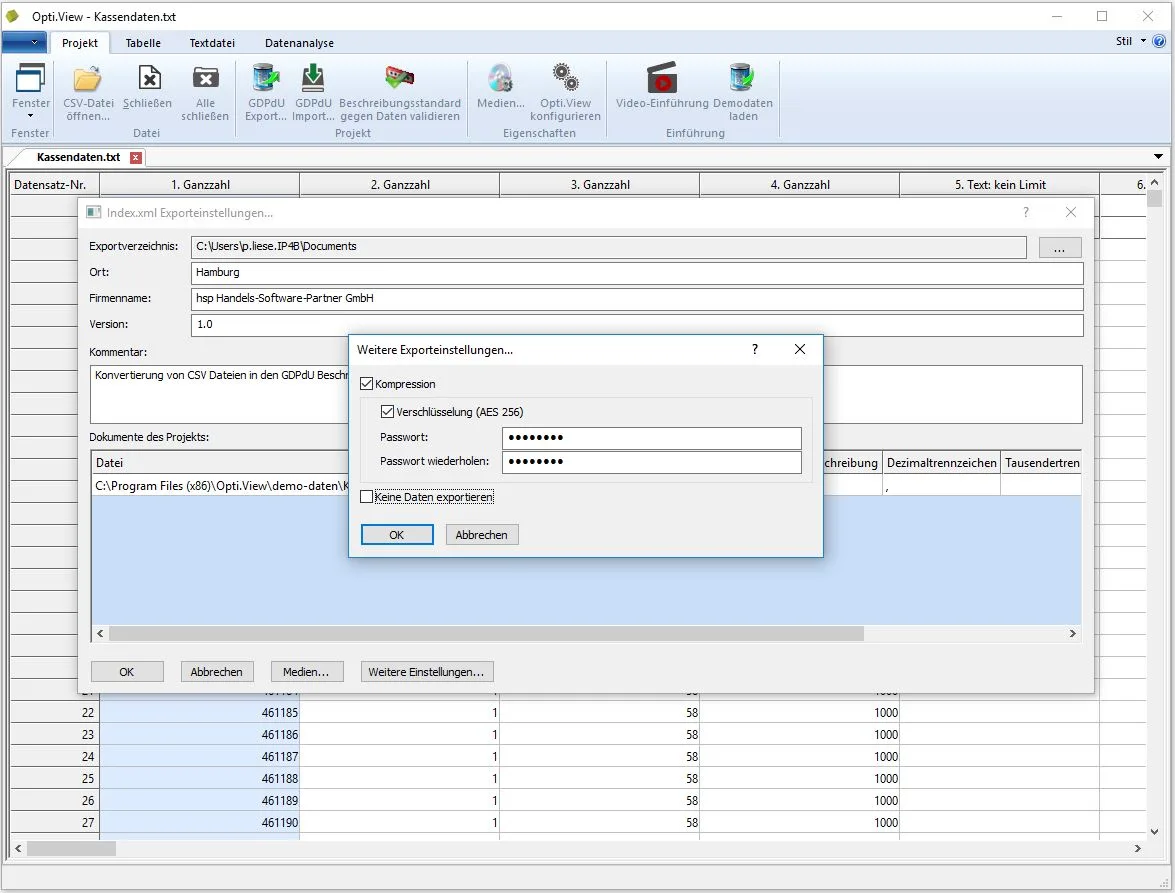
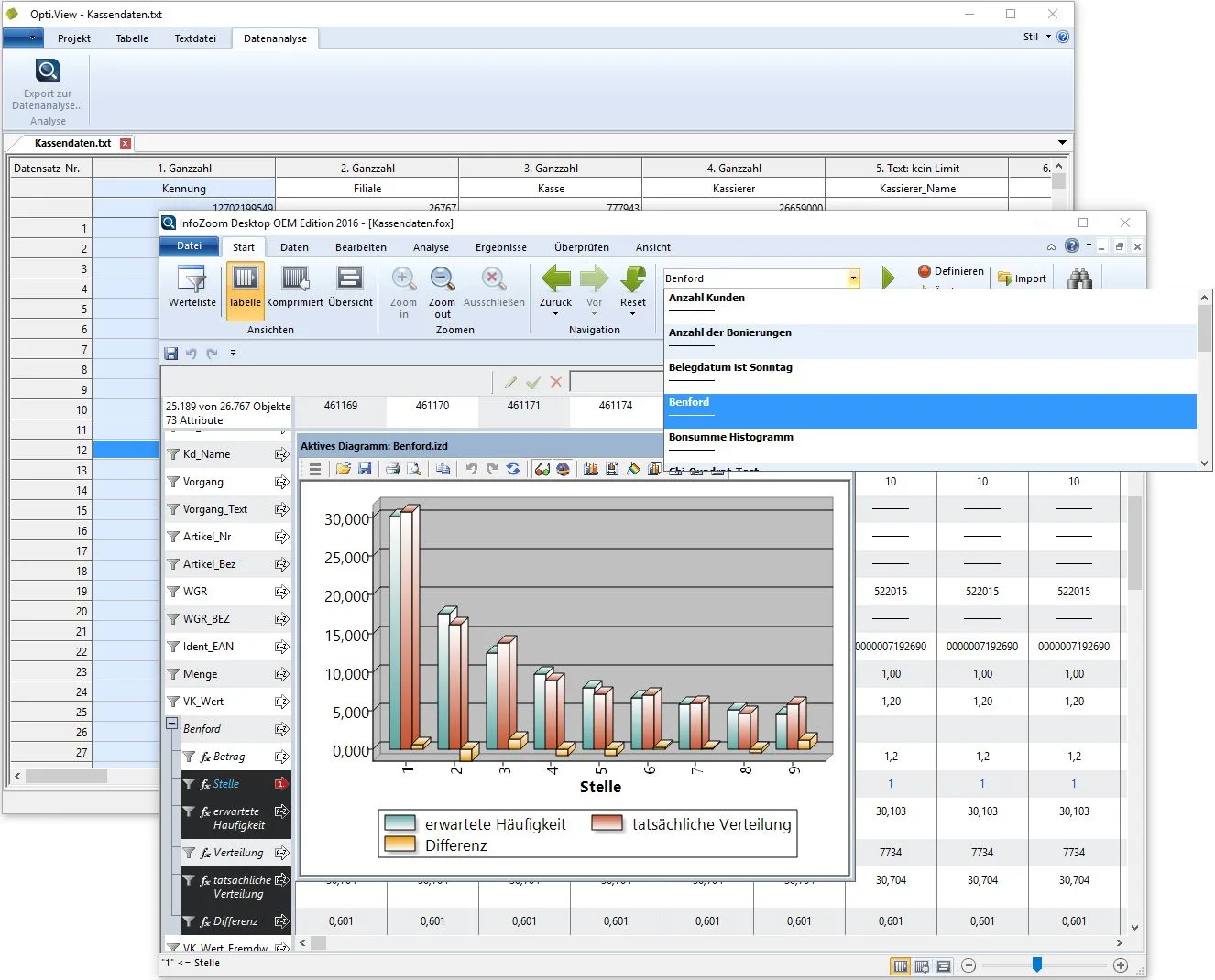
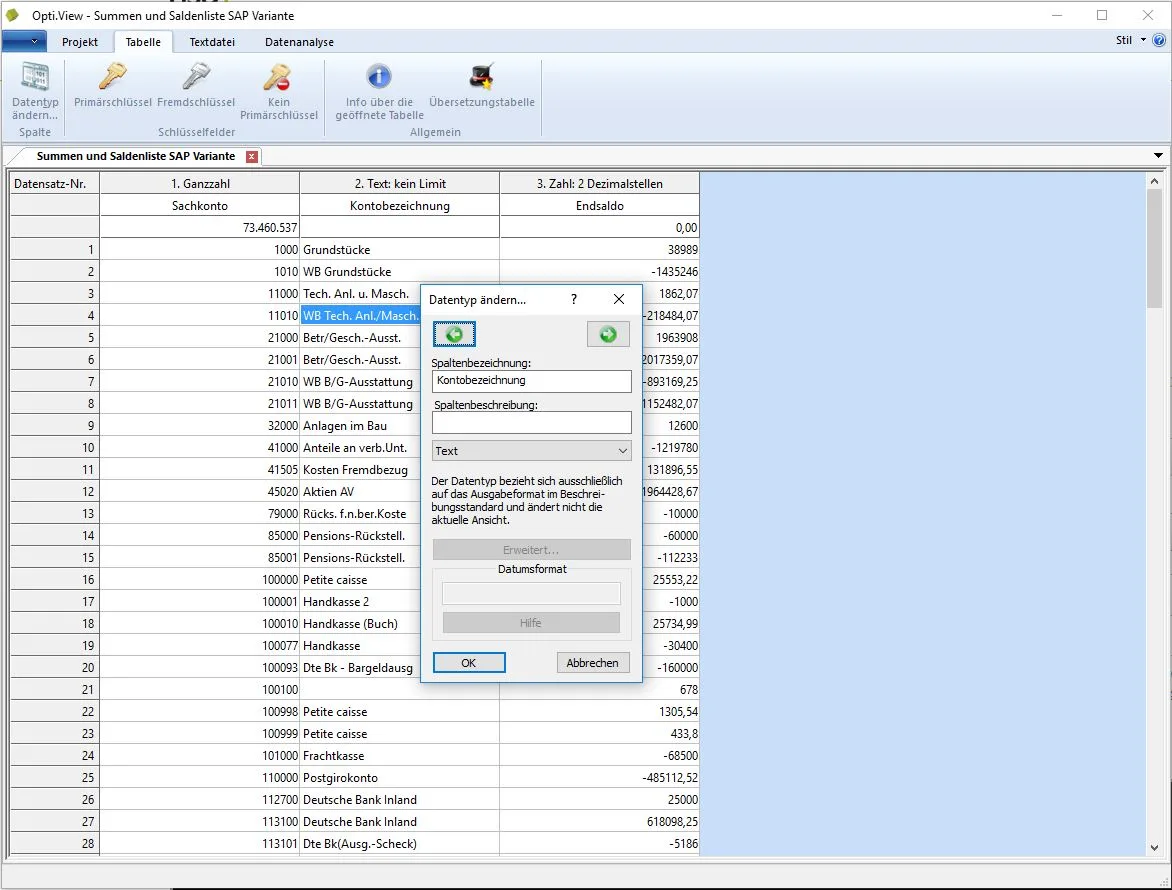
Presenting and analysing data in a structured manner – GoBD-compliant data access in accordance with Z1, Z2 and Z3 for the tax authorities – that’s what Opti.View is all about. The integrated interface with InfoZoom provides you and the auditor with an overview, whilst the integrated specialised audit routines – particularly for till data – enable you to analyse critical data records in advance.
Opti.View – GoBD (GDPdU) data analysis and conversion
From: 250,00 € / year
Description
Product information: „Opti.View – Analysing GoBD (GDPdU) data“
Opti.View is a powerful software programme for analysing GoBD (GDPdU) data.
When the tax inspector comes calling, they will request data relevant to the audit – usually retrospectively, covering a lengthy period. Fortunate indeed is the person who has a clear overview of this data. Whilst most ERP systems are capable of generating the data, this does not mean that it is transparent to users. Ultimately, this means that business owners often have no idea whatsoever as to the quality of the data the tax inspector is actually seeing. And that can potentially prove very costly and lucrative for the Federal Ministry of Finance will be.
Opti.View allows you to analyse this data. A closer analysis of the data reveals potential problems. The software is not only capable of generating data in compliance with legal requirements, but also of visualising the output data. Regardless of whether the data is in the GDPdU description standard or as Electronic balance sheet Structural data is available. This means you can check what the tax inspector will see. In addition, we have integrated the InfoZoom analysis tool into our solution.
When used in conjunction with the Opti.Dart product, Opti.View enables the direct analysis of SAP data without the need for the time-consuming creation of views within SAP itself.
What is InfoZoom?
The visual method developed at the Fraunhofer Institute makes all data understandable at a glance. For example, when analysing data covering the past three years, InfoZoom allows you, with just a few clicks, to filter out extreme values (such as maximum or minimum amounts) or inconsistencies from the data jungle, organise these entries and thus identify in no time at all where the tax auditor might uncover grounds for an investigation.
- The volume and type of data are irrelevant to the tool. The systematic organisation is derived automatically from the existing data.
- Users can navigate their database completely intuitively and independently. With just a few clicks, search criteria can be combined as required and relevant results identified on the spot.
- There are therefore no limits to these processes. This automatically gives you the opportunity to analyse the data from the perspective of Business Intelligence use.
Product video
Opti.View versions
Opti.View Basic
- Import and simple analysis of GDPdU/GoBD data exports from ERP systems
- Import and description of CSV/XLS files for export in accordance with the GDPdU/GoBD standard (index.xml + *.csv files)
- Linking different CSV files via primary keys, including export in the description standard
- Translation of column names and addition of descriptions for data field names that are not self-explanatory
- Changing data types (text, date, number, etc.)
- Verification that the data can be imported without error into the software used by tax inspectors
- If there are errors in the data structures, the log will specify the row and column that caused the import error
- This enables the developer responsible for data output from the ERP system to correct their export
Opti.View Professional
Additional features compared to the basic version- Transfer of data to InfoZoom for content analysis and preparation for a tax audit using macros (Benford’s law analysis, chi-squared test, gap analysis, document dates, etc.)
- Regular verification of accounting data directly from the ERP system via interfaces
- Includes one named-user licence for InfoZoom Business 32-bit
Opti.View Law Firm
Version for tax advisers and auditors, with additional features compared to the Professional Version- Use of the software on multiple workstations and for different clients
- Includes one concurrent user licence for InfoZoom Business 32-bit
System requirements
Windows client PC (single-user and multi-user)
- Windows 10/11 (32/64-bit)
- RAM: at least 8 GB of installed RAM, of which 2 GB should be free
- Hard disk space: 4 GB free
- Resolution: 1920 × 1080 or higher recommended; minimum 1280 × 1024
Terminal Server / Citrix
- Windows Server 2016 or later
- 4 GB of free hard disk space











 German
  English